
Your existing mailbox over IMAP and SMTP, or connected through Google. Checked every 15 seconds. Nothing in the mailbox is moved or deleted.
Channels
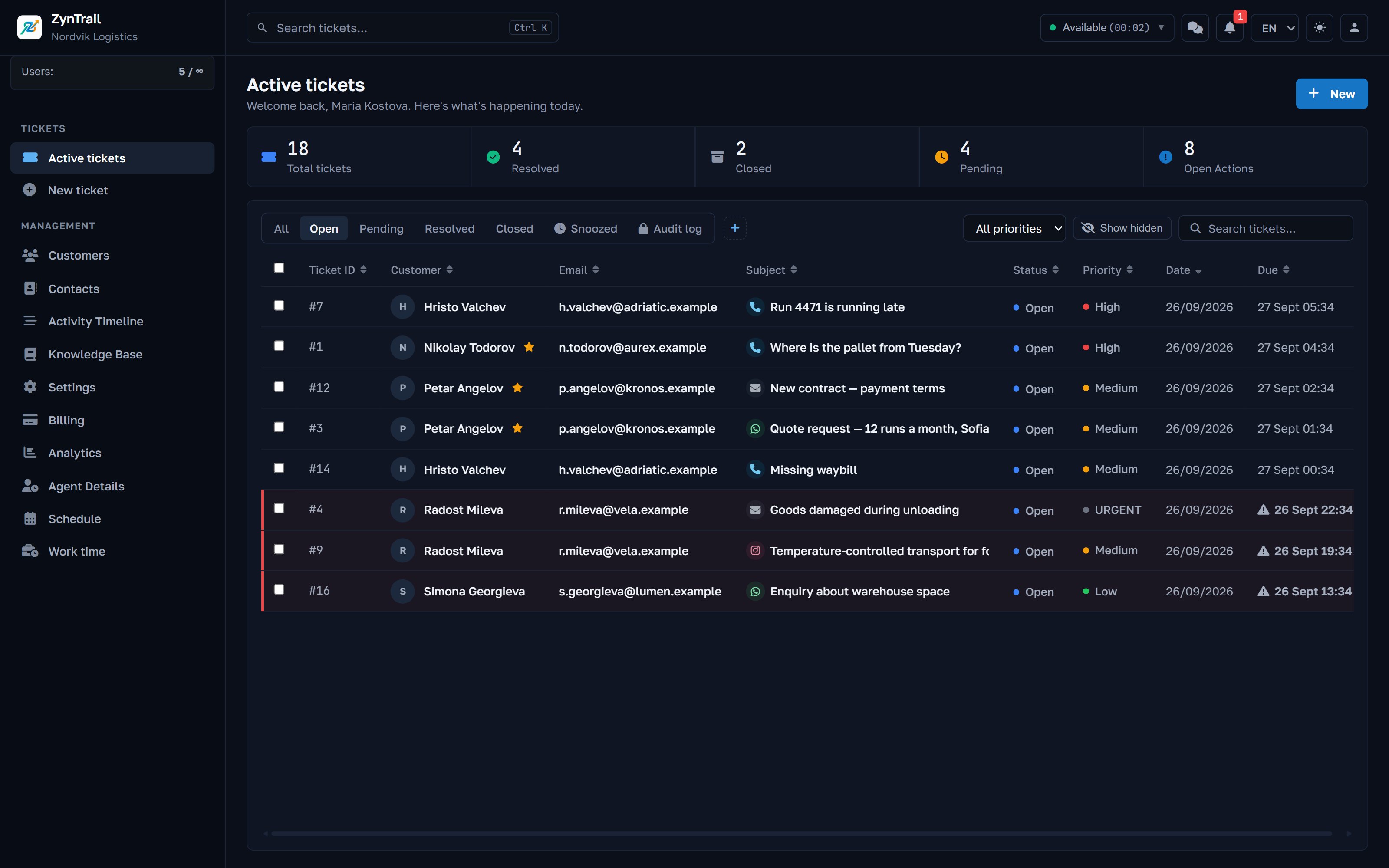
Messenger, Instagram, WhatsApp and email from one screen
Customers write wherever suits them. Your team should not have to keep four apps open, nor find out on Monday that Friday's message went unread.
The channels
Wherever it comes from, it becomes a ticket
Facebook Messenger
Messages to your page become tickets and are answered from ZynTrail. Included in every plan.
Direct messages, through the same connection as Messenger. Included in every plan.
WhatsApp Business
Through the official Cloud API, with your business number. Part of the Pro plan and up.
Phone
Described in detail under telephony: every inbound call opens its own ticket.
Your own systems
A shop or an ERP can open a ticket directly through the API with your company key.
From the inside
How a message becomes a ticket
- 01
It arrives and is checked for repeats
Providers resend messages when the acknowledgement is late. A message already recorded is skipped. A repeat never becomes a second message in the thread.
- 02
Files are fetched
Photos, documents and voice messages are downloaded and kept with the message, instead of staying behind a link that expires.
- 03
The person is recognised
On WhatsApp the number is matched against your contacts, so a message from a customer you already know goes to them.
- 04
It joins the open ticket or opens a new one
A second message from the same person continues the ticket that is already open. If there is none, a new one opens and the team is notified.
- 05
The reply leaves the same way
A reply on a WhatsApp ticket goes out as WhatsApp. The customer never gets an email in reply to a chat.
The customer portal
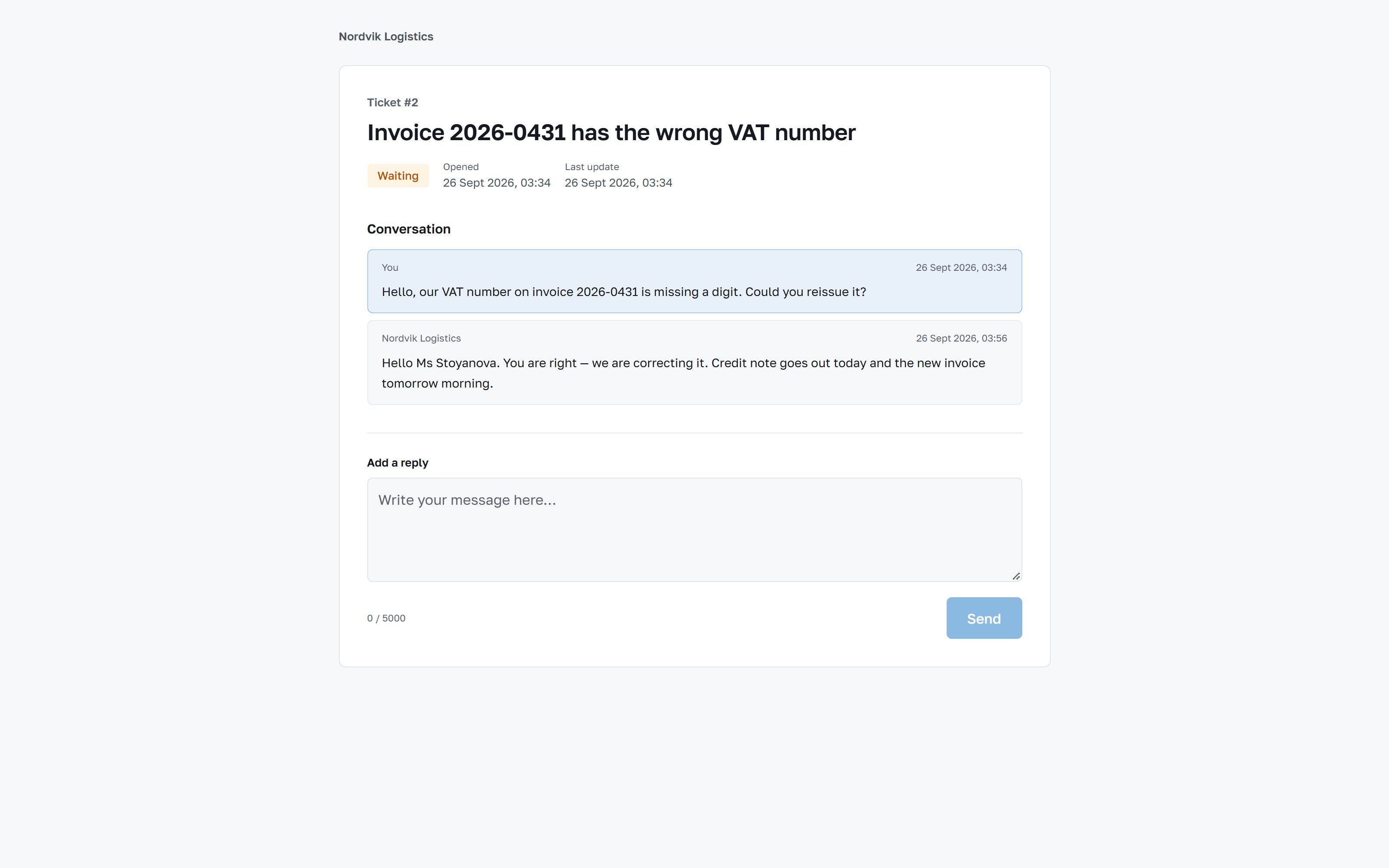
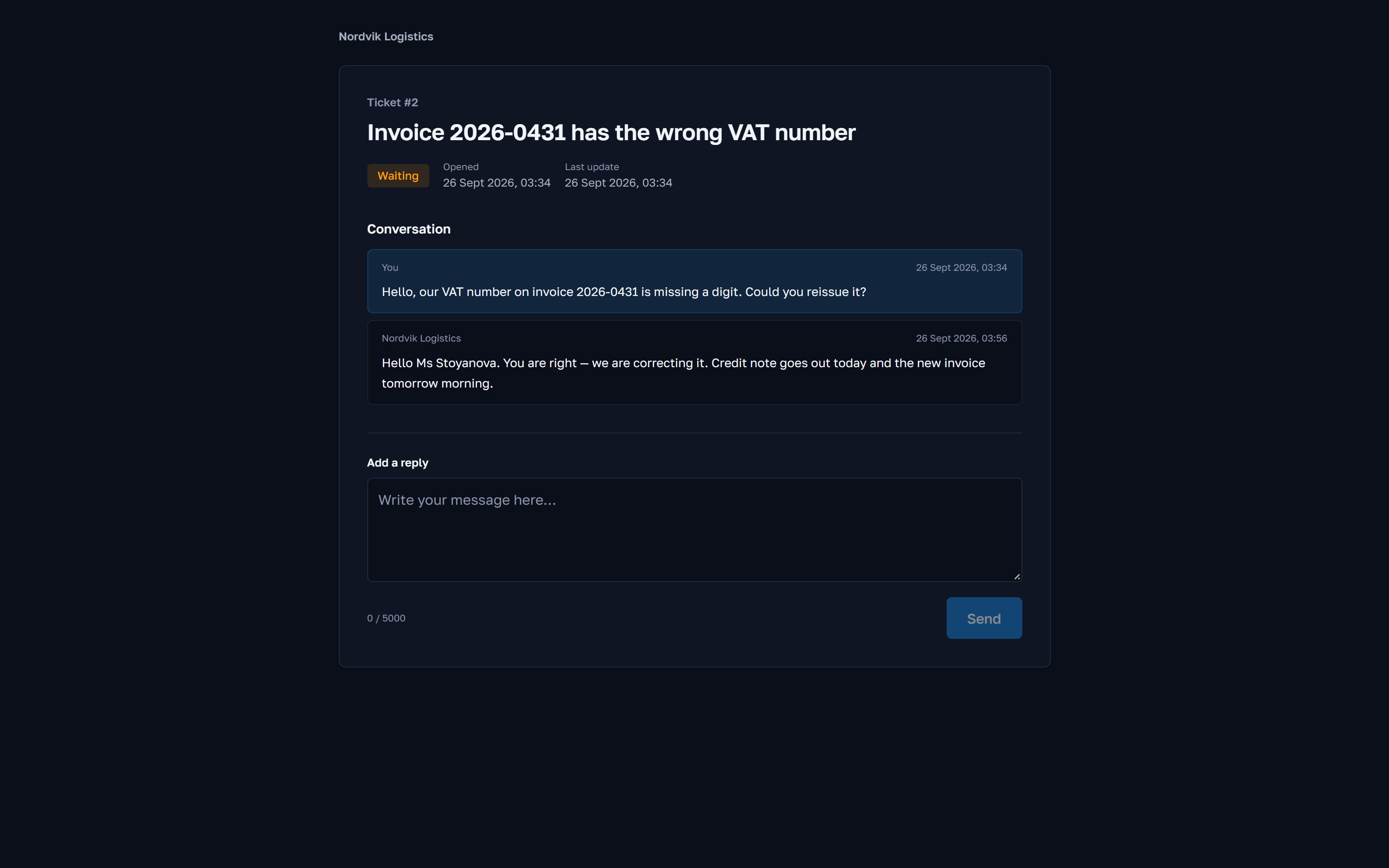
The customer follows their ticket without an account
Every email reply carries a personal link. The customer opens it and sees their ticket: the status, the correspondence and a reply box. No registration, no password, nothing to install.
The link is signed and works for this ticket only. A reply the customer writes there enters the same thread, with the same agent, exactly as if they had replied to the email.
- Status and the date of the last change, as the team sees them
- The whole correspondence on the ticket, without the internal notes
- A reply from the portal is a reply in the ticket, not a new enquiry
- At the end the customer rates how it went
A distinction
Two things that sound alike and are not
A ticket channel is how the customer reaches you: email, Messenger, Instagram, WhatsApp, phone. Something arrives and a ticket appears.
A notification channel is how the system reaches your team: Telegram or WhatsApp, to say a ticket opened or a deadline is near. Telegram is a notification channel only. A customer cannot open a ticket by writing to your Telegram bot, and we would rather say so plainly than have a customer find out by trying.
Details
The numbers behind the channels
- Mailbox checked every
- 15 s
- Messages threaded by
- senderone open ticket per person, not per message
- Repeat deliveries
- skipped
- Attachments
- with the message
- Messenger and Instagram
- every plan
- WhatsApp Business
- Pro and up
- Telegram
- notifications onlyto your team, not from customers
- Customer portal
- personal linkno account and no password
Questions about channels
Before you write to us
Will anything change in our mailbox if we connect it?
No. ZynTrail reads over IMAP and sends over SMTP. Emails are not moved, flagged or deleted. After disconnecting you have exactly the mailbox you had.
A customer writes in Messenger about yesterday's call. Does anyone notice?
Whoever opens the customer sees both, in order, in one timeline. The Messenger message opens or continues its own ticket, and the two can be merged if they are the same enquiry.
What is needed to switch on WhatsApp?
A business number, a WhatsApp Business account and access from Meta. We go through this with you during setup. It is the only channel with paperwork on the other side, and it is in the Pro plan and up.
Can customers write to us on Viber?
Not through ZynTrail. The integration exists in the code, but Viber charges a monthly fee for business messaging and it is not worth it at the volumes we see with our customers. So we do not offer it.
See it against your own case
Tell us how many people answer customers and which channels the enquiries arrive on. We will show you the same screens your team will work in, with your case rather than a demo script.
Every plan starts with 30 days of full access to the product, every feature included.